
How to use PC Tool
- Update Firmware (only support Windows 10 PC or MAC)
Connect the charging cable to your PC/Mac and update MISSION ONE’s firmware.
Window 10 PC tool only:
- Upload and edit dive log – Login with your ATMOS’s account. You can sync and edit the dive logs.
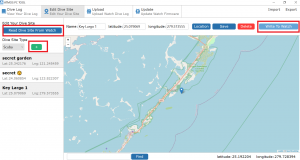
- Edit Dive Site and sync to your MISSION ONE – Read from the Mission one, edit and write back to it.
Contact us for more help: (Fb message) https://www.facebook.com/atmosocean